


Description
Product Overview
Adobe Acrobat Standard is a comprehensive PDF solution for Mac and Windows, enabling users to create, edit, and manage PDF documents efficiently. It supports converting files to and from formats like Microsoft Word, Excel, and PowerPoint while maintaining original formatting. The software includes features for combining documents, protecting content, and utilizing e-signatures, making it essential for business and office environments.
Usage
This software is designed for professionals in offices, educational institutions, and home settings who handle documents regularly. It is ideal for creating reports, managing contracts, and collaborating on projects that require secure sharing and editing. Users can streamline workflows by converting scans to searchable PDFs and sending files for electronic signatures without additional setups.
Why Choose Us
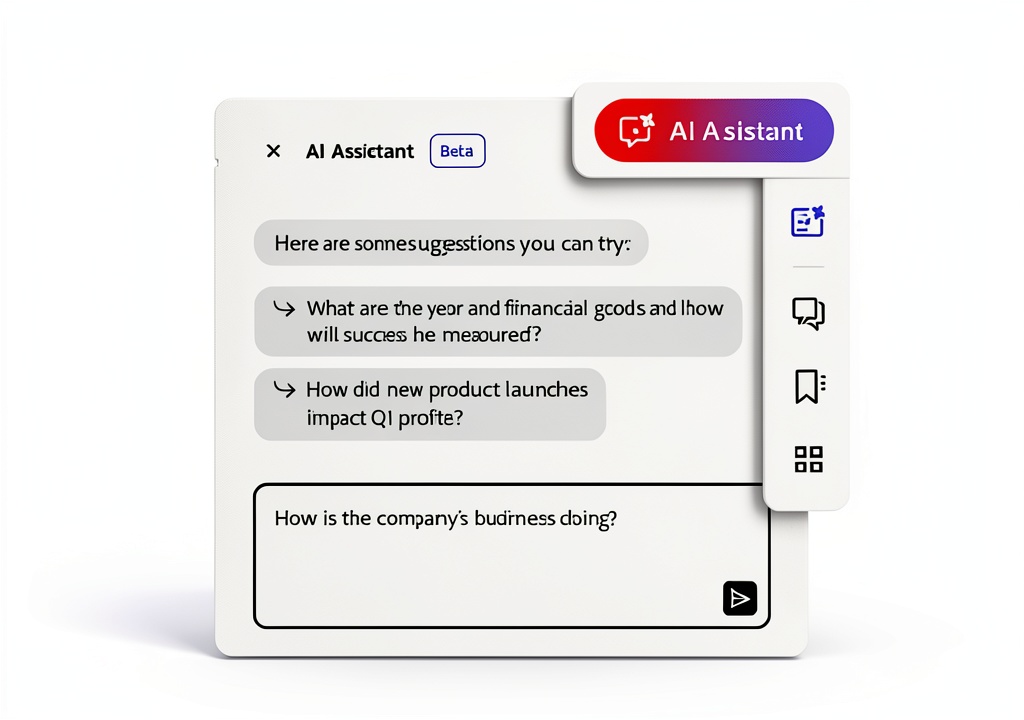
Adobe Acrobat Standard offers trusted reliability and advanced functionality, backed by Adobe’s expertise in digital document solutions. It provides seamless integration with common office tools and ensures high-quality output with consistent formatting. The inclusion of AI Assistant beta enhances productivity by quickly extracting insights and generating content from documents.
Key Features
- Create PDFs from any document for easy sharing and viewing
- Export PDFs to Word, Excel, or PowerPoint with preserved formatting
- Edit PDFs directly to fix errors or update content
- Convert scans and images into searchable, smart PDF files
- Combine multiple documents into a single, organized PDF
FAQ
What operating systems does Adobe Acrobat Standard support?
It is compatible with both Mac OS and Windows, allowing flexible use across different devices.
Can I edit text and images in a PDF with this software?
Yes, you can easily edit text, fonts, and images directly within the PDF without needing the original file.
How does the e-signature feature work?
You can send PDFs for electronic signatures directly through the software, eliminating the need for recipients to download anything or create accounts.
Is there a way to protect my PDFs from unauthorized changes?
Yes, the software includes protection tools to prevent copying or editing of your PDF content, ensuring document security.
What is the AI Assistant beta feature?
It allows you to interact with your documents to quickly understand information, gain insights, and produce content, saving time on complex tasks.

Reviews
There are no reviews yet.